
 VirtualDrive for Android
Your photos, backed up.Your phone, freed up.
Camera Backup uploads your photos and videos in the background. Space Saver then clears the backed-up copies off your phone, and Android asks you first. 20 GB free, no ads, and we never train AI on your files.
- Free on Google Play
- Automatic Camera Backup
- No ads, no AI training
- Free storage, no card
- 20 GB
- AES encryption
- 256-bit
- To download
- $0
- Requires Android
- 7.0+
What you get
Built for the phone in your hand
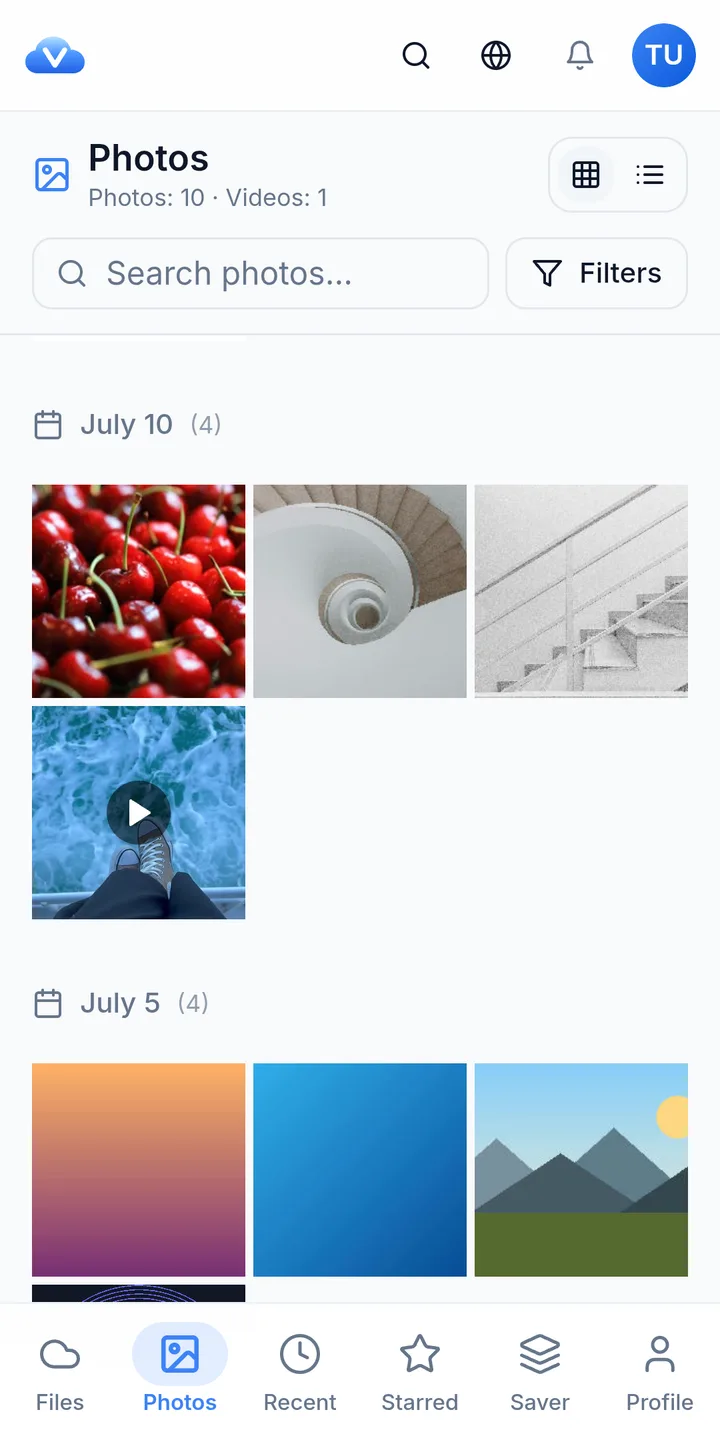
Your photos and videos, backed up on their own
Turn on Back up this phone once. VirtualDrive uploads what is already on the phone, oldest first, then keeps up with every new photo and video, without you opening the app.
- Runs in the background, about once an hour and soon after new shots
- Wi-Fi only by default, and scheduled backups wait when the battery is low
- Original quality, and photos already in your drive are skipped
Your whole drive, in your hand
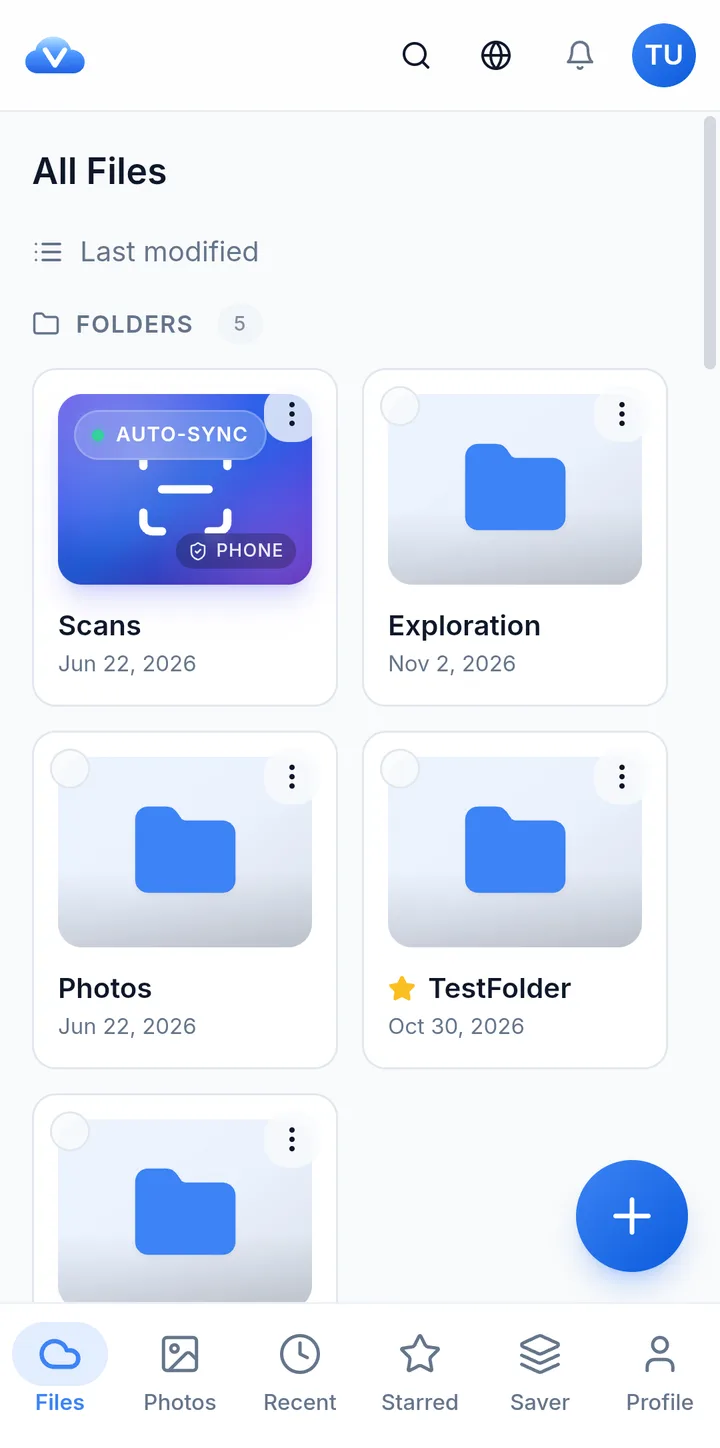
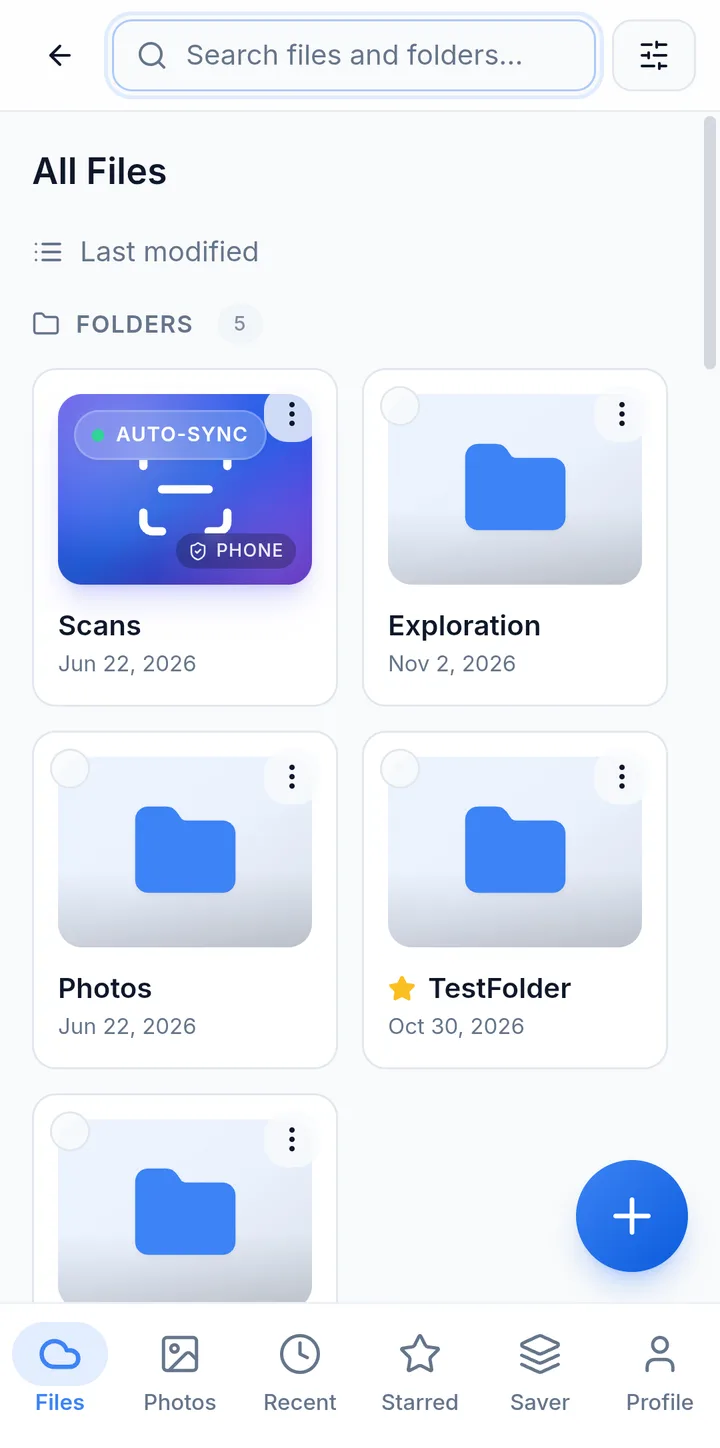
Folders, documents, videos and PDFs from every device, in one place. Open them right in the app without downloading them first.
- Rename, move and star files, and restore them from the trash
- Your cloud files in Android's Files app and other apps' file pickers
- Make a file available offline and it opens with no signal
Upload, scan and create from one button
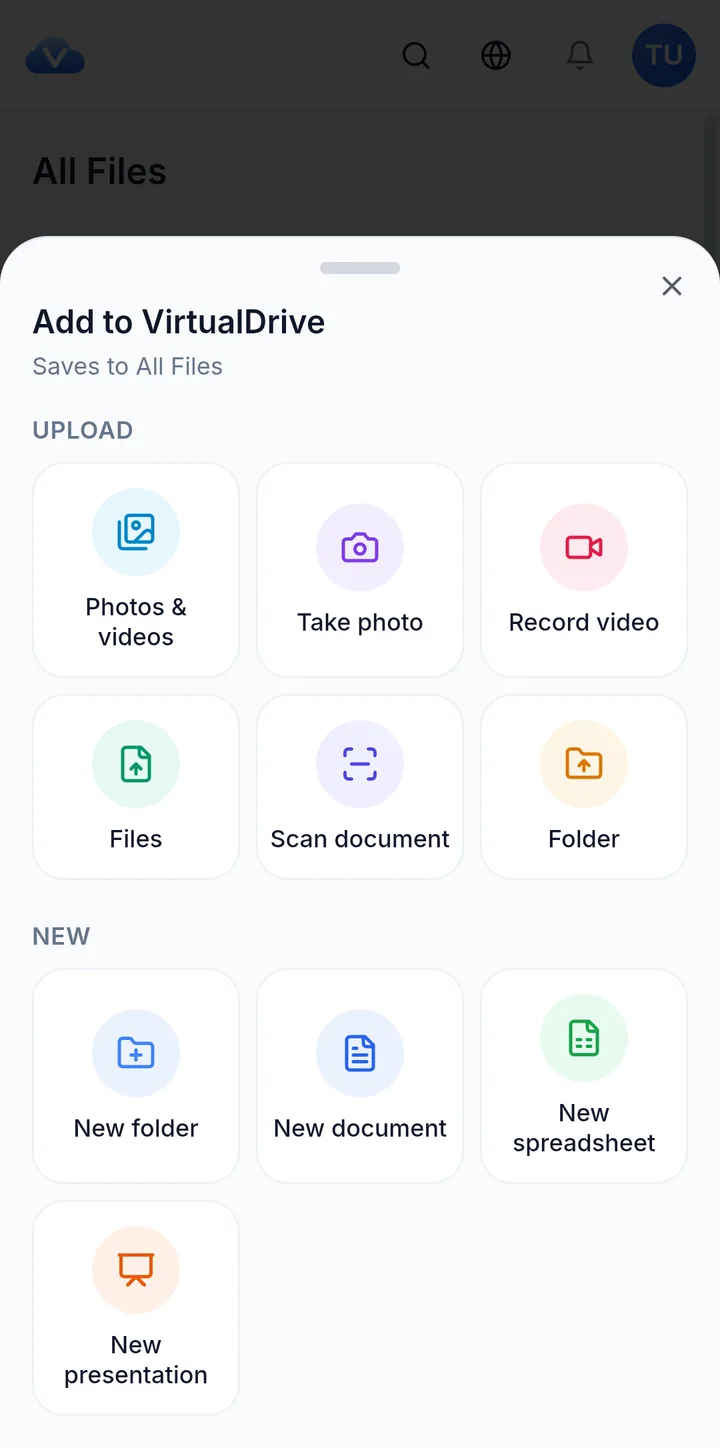
The plus button puts everything you add in one sheet: photos, files, whole folders, a document scan or a new document.
- Upload photos and videos, any file, or a whole folder
- Scan paper documents to PDF, with edge detection
- Pick VirtualDrive in any app's share menu to save files straight to a folder
Find it, then share it
Search covers every file and folder in your account, with filters for file type and date. When you find it, send it as a link.
- Share links for files and whole folders, no account needed to open them
- Optional password and an expiry from 1 hour to 30 days
- Remove a link at any time and it stops working
Space Saver
Free up phone space, safely
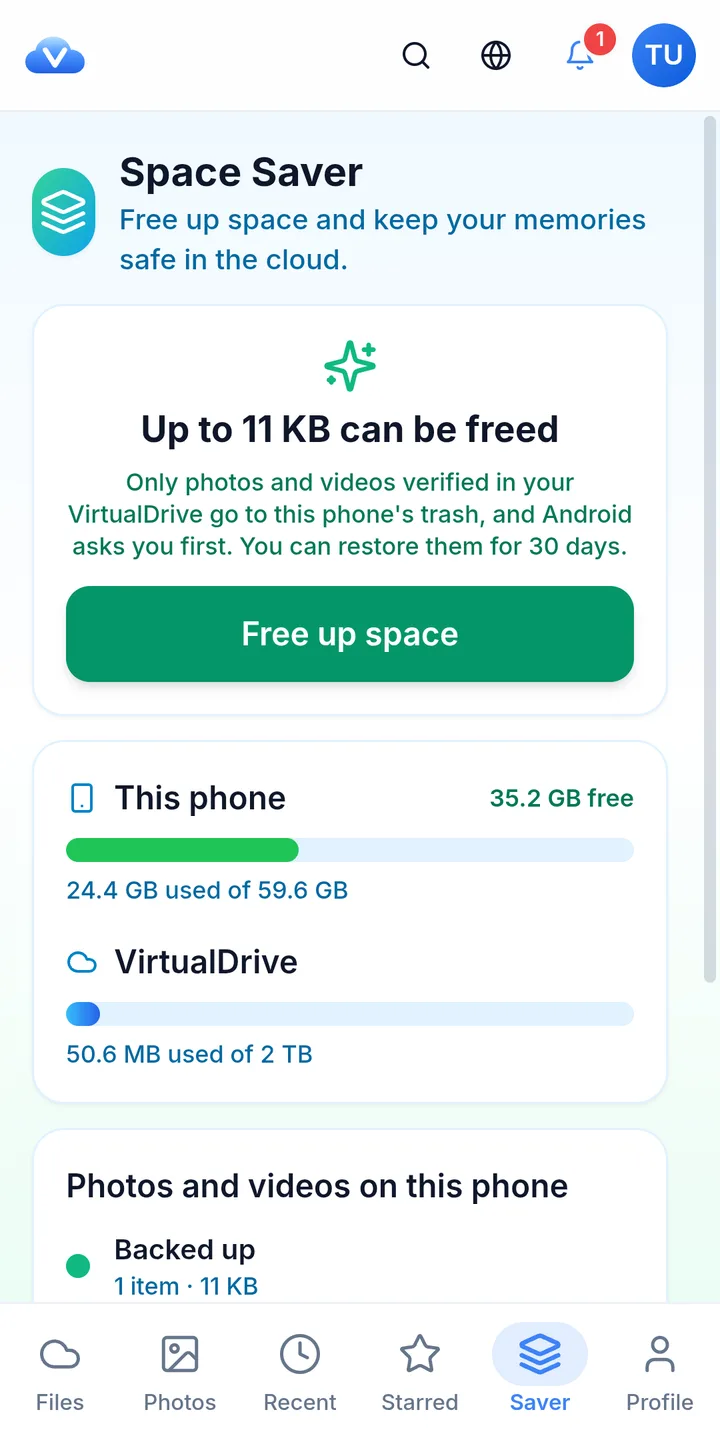
Once your photos are backed up, the copies on the phone take space you may want back. The Saver tab shows how much you can free and clears them for you, in four checks.
- 1
Matched to your backup
Only photos and videos with a copy in VirtualDrive of the same content fingerprint and size are offered.
- 2
Checked again before anything moves
If VirtualDrive can't be reached to confirm, nothing is deleted.
- 3
Android asks you
The system's own confirmation appears before any photo leaves the phone.
- 4
30 days to change your mind
Items go to the phone's trash, and you can restore them from your gallery or Files app.
Space Saver needs Android 11 or later. On older versions, Camera Backup still works.
Your files are yours
Cloud storage that makes money from storage — not from reading what you store in it.
AES-256 at rest, TLS in transit
Files are encrypted on our servers with AES-256 and travel over TLS 1.2 or better, on every upload and download.
No AI training. Ever.
We do not use your files to train AI models — not ours, not anybody else's. There is no opt-out to hunt for because there is nothing to opt out of.
No ads, no tracking profile
The app has no advertising and builds no behavioural profile of you. Paid plans fund the storage, which is how it should work.
You can leave whenever
Download everything and delete the account from any device. Deletion means deletion — content is permanently removed within 30 days.
Questions people actually ask
Is the VirtualDrive Android app free?
Yes. The app is free on Google Play and every account starts with 20 GB of storage, with no credit card and no ads. Paid plans are optional and are billed through Google Play when you upgrade in the app.
Which Android versions are supported?
The app runs on Android 7.0 or later. Space Saver, which moves backed-up photos to the phone's trash, needs Android 11 or later because it uses Android's own trash.
Does Camera Backup work when the app is closed?
Yes. Once you turn on Back up this phone, Android runs the backup in the background: about once an hour, and shortly after new photos or videos appear. By default it only uploads on Wi-Fi, and scheduled backups wait when the battery is low.
Can Space Saver delete a photo that isn't backed up?
No. Space Saver only offers photos and videos that VirtualDrive can match to a backed-up copy with the same content fingerprint and size. If it can't reach VirtualDrive to confirm, nothing is deleted. Android asks you first, and the items go to the phone's trash for 30 days.
Do my files sync between Android, iPhone and the web?
Yes. It is one account and one drive. Anything you upload on your Android phone shows up on the web, on iPhone and iPad, and on any other device you sign in from.
How do I cancel a subscription bought in the Android app?
Subscriptions bought in the app are managed by Google Play. Open the Play Store, tap your profile picture, then Payments & subscriptions › Subscriptions, and cancel VirtualDrive there. Cancelling on our website does not stop Google Play billing you.
Get it on your Android phone
Free on Google Play, 20 GB to start, and your photos backed up from the moment you turn it on.

On a computer? The badge opens Google Play, where you can install it on your phone.
Requires Android 7.0 or later. Space Saver needs Android 11 or later.