
 VirtualDrive for iPhone & iPad
Every file you own.
In your pocket.
20 GB of encrypted storage, free. Automatic Camera Backup the moment you shoot. A Home Screen widget that shows what's synced. No ads, and we never train AI on your files.
- Free to download
- Automatic Camera Backup
- No ads, no AI training
20 GB
Free storage, no card
256-bit
AES encryption
$0
To download
17.0+
Requires iOS
Built for the phone in your hand
Your camera roll, backed up automatically
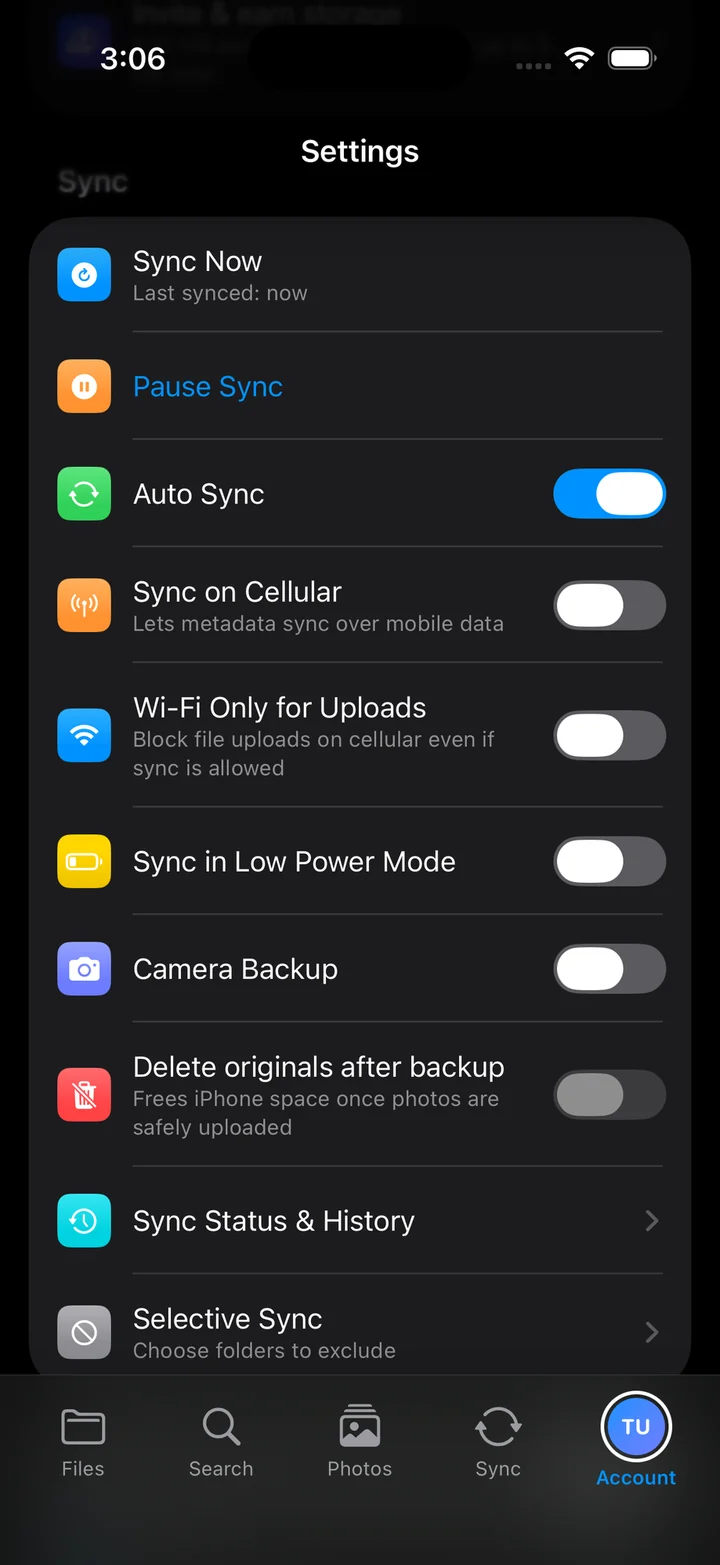
Turn on Camera Backup once and every photo and video you take uploads on its own — in the background, without you opening the app.
- One toggle turns Camera Backup on for photos and videos
- Wi-Fi only for uploads, so it never eats your data plan
- Optionally delete originals once they're safely uploaded
Find any file in seconds
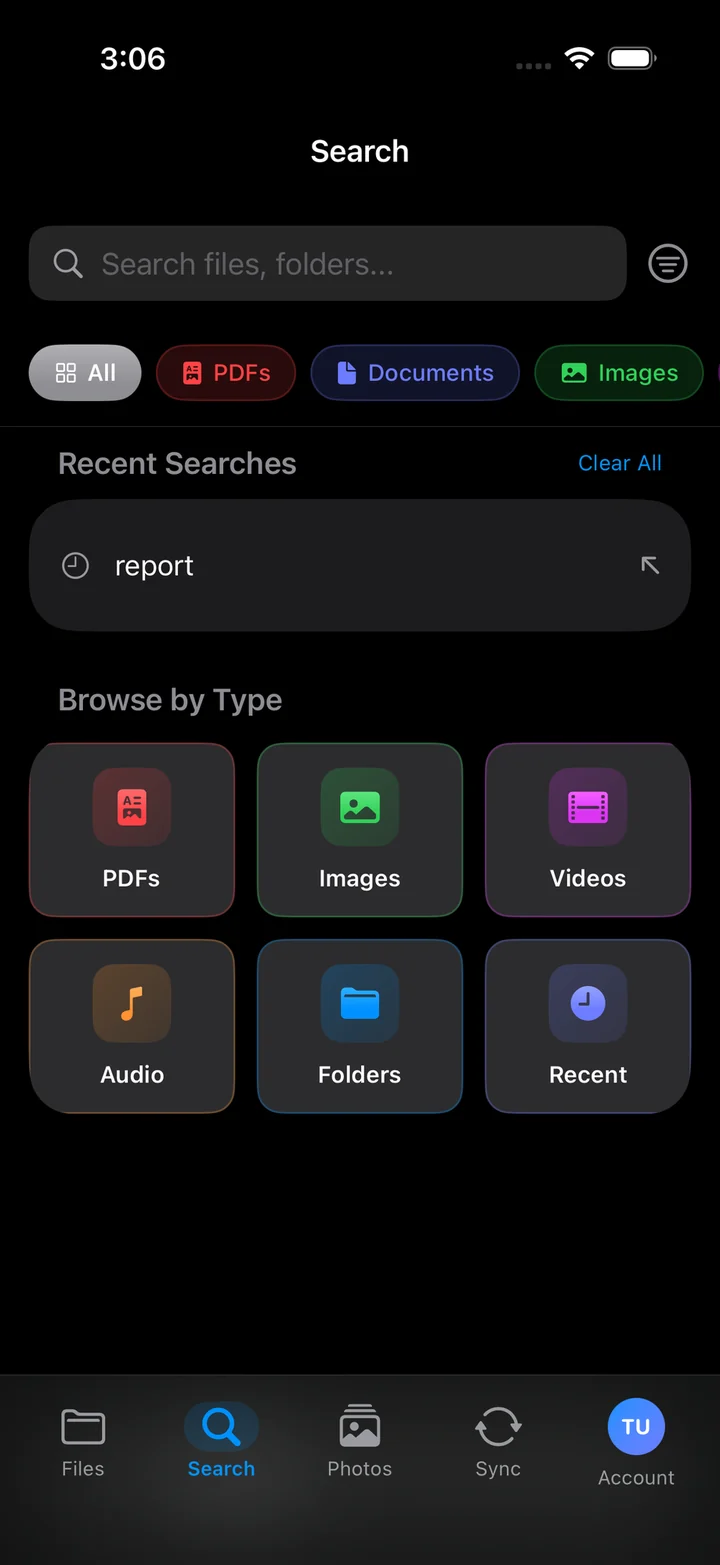
Search across every file and folder in your drive, or skip the typing and jump straight to a category.
- Browse by PDFs, images, videos, audio or folders
- Recents, Starred and Scans one tap from anywhere
- Search reaches everything you've uploaded from any device
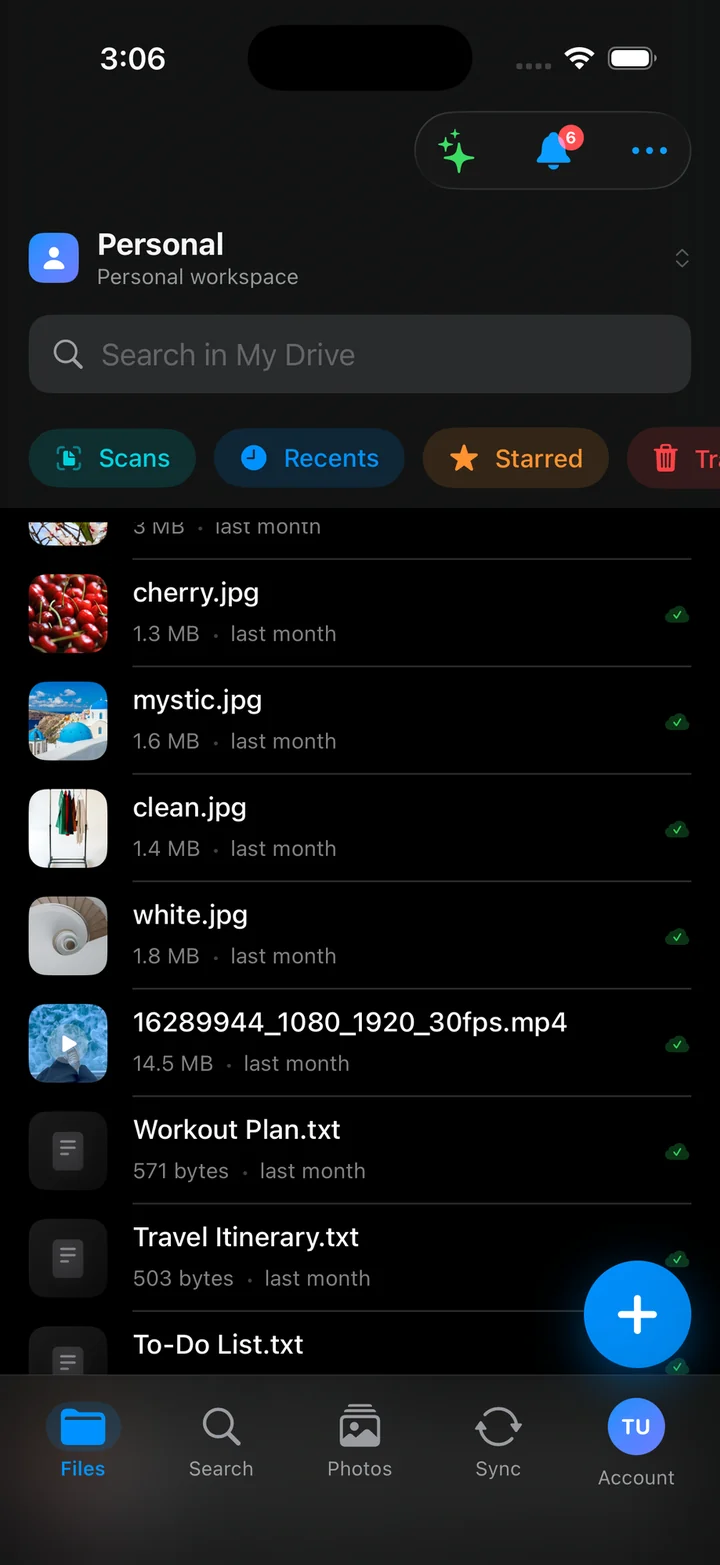
Your whole drive, in your hand
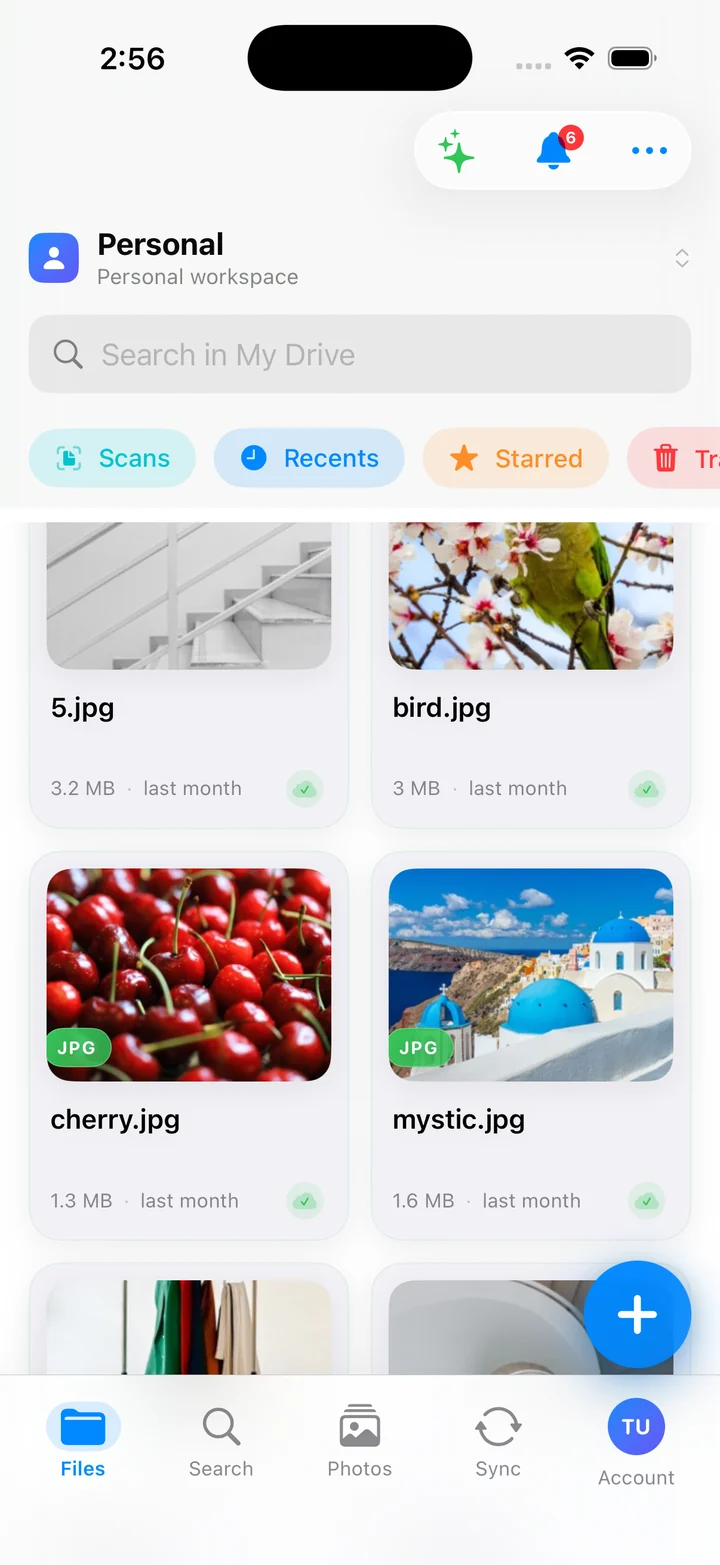
Every file from every device, in one list. Photos, videos, PDFs and documents together — with a green check on everything already safe in the cloud.
- Scans, Recents, Starred and Trash one tap away
- Grid or list, whichever you think in
- Switch workspaces without signing out
Sync you can actually see
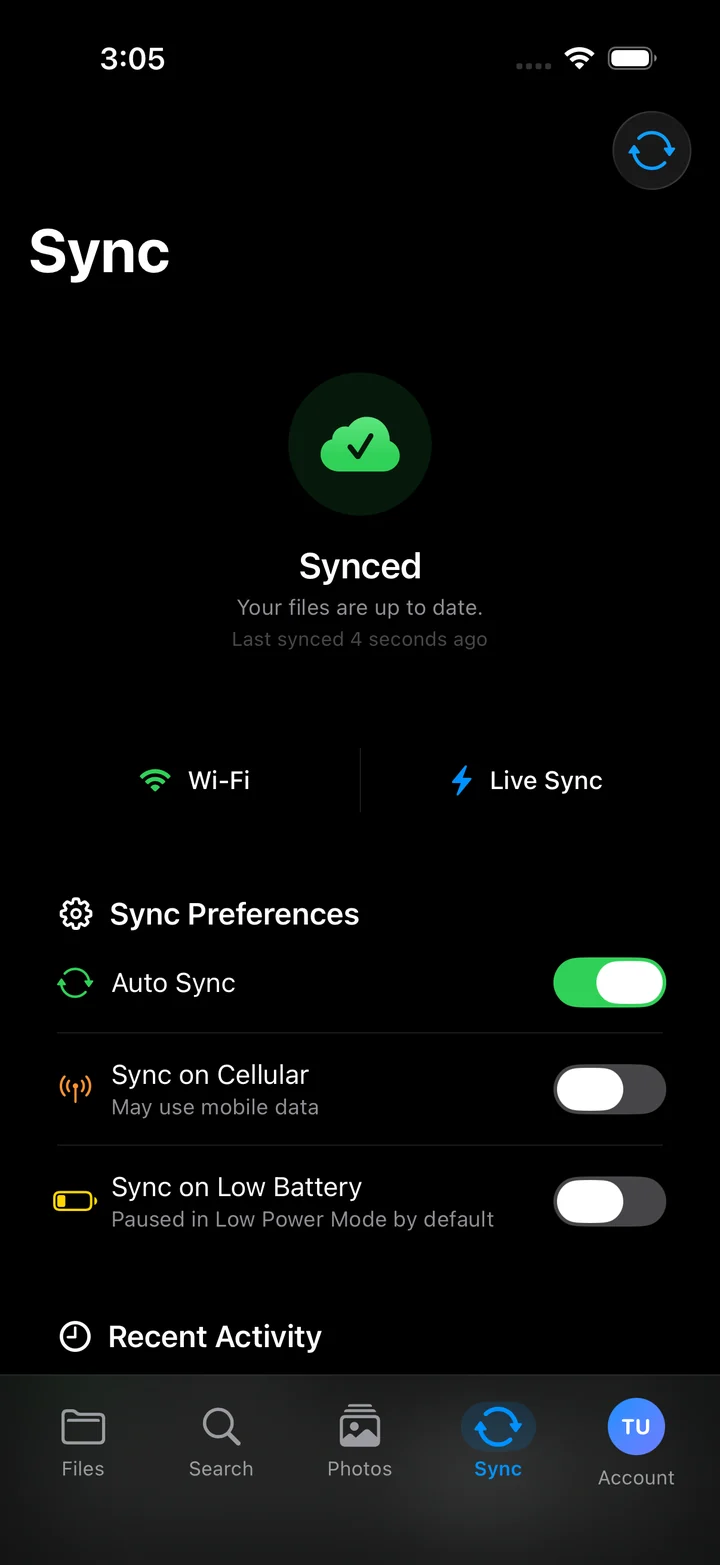
No guessing whether it worked. The Sync tab tells you the state, when it last ran, and what it's doing right now.
- A plain “up to date”, plus the time of the last sync
- Pause it, or keep it off cellular and low battery
- Recent activity, so you can see what moved
The big-screen version, included
One app, one download, one account. On iPad you get a roomier grid, bigger previews and the same drive you left open on your phone.
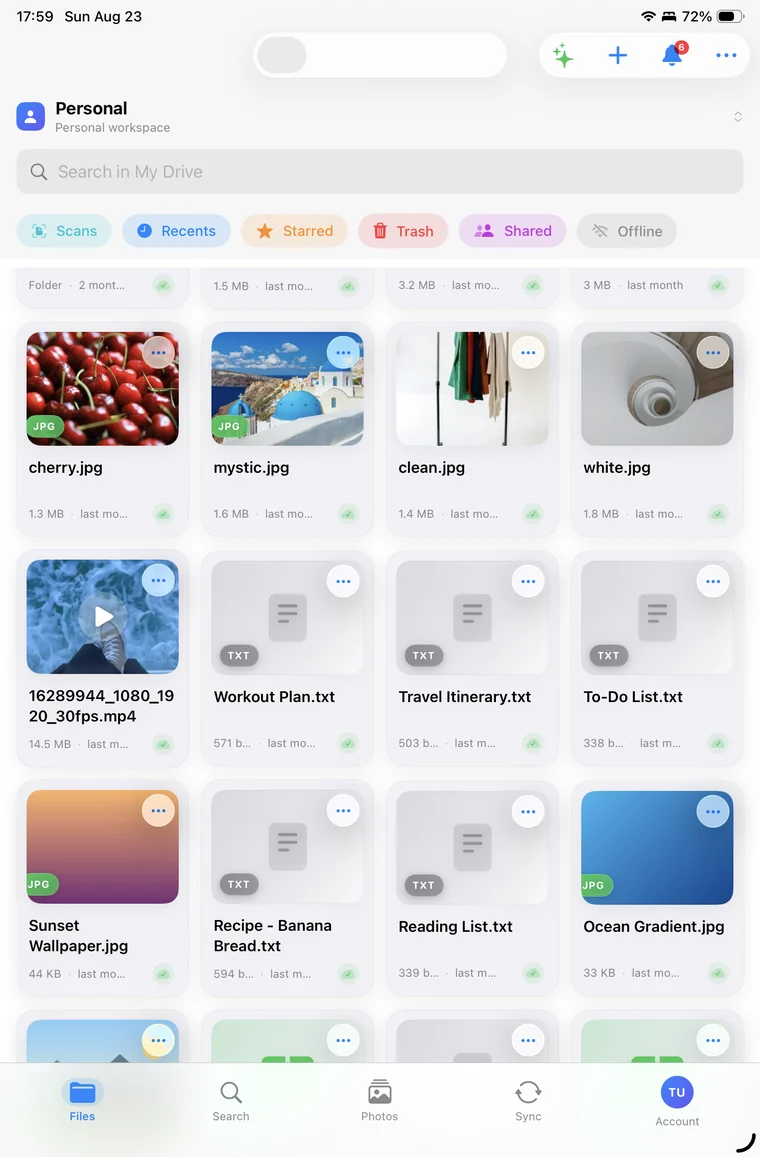
- Universal app — no separate purchase
- Light and dark, following your system setting
- Same files, instantly, across iPhone, iPad and web
Your files are yours
Cloud storage that makes money from storage — not from reading what you store in it.
AES-256 at rest, TLS in transit
Files are encrypted on our servers with AES-256 and travel over TLS 1.2 or better, on every upload and download.
No AI training. Ever.
We do not use your files to train AI models — not ours, not anybody else's. There is no opt-out to hunt for because there is nothing to opt out of.
No ads, no tracking profile
The app has no advertising and builds no behavioural profile of you. Paid plans fund the storage, which is how it should work.
You can leave whenever
Download everything and delete the account from any device. Deletion means deletion — content is permanently removed within 30 days.
Questions people actually ask
Yes. Downloading VirtualDrive costs nothing and the free plan includes 20 GB with no credit card. Paid plans are optional and only start when you outgrow the free tier.
Anything running iOS 17.0 or later. It is a universal app, so one download covers both iPhone and iPad at no extra cost.
Camera Backup uploads photos and videos in the background once you enable it, and you control the behaviour from the app's settings. Turn it off at any time and nothing further is uploaded.
Apple takes a commission on every subscription sold inside the App Store, so in-app prices are higher to cover it. Subscribe at virtualdrive.us for the lowest price — it is the same account either way and purchases sync across iPhone, iPad and web.
Yes. It is one account and one drive. Anything you upload on your phone shows up on the web and on any other device you sign in from.
App Store subscriptions are managed by Apple, so cancel in iOS Settings → your name → Subscriptions. Cancelling on our website does not stop Apple billing you.
Get it on your phone
Free on the App Store, 20 GB to start, and your camera roll backed up from the moment you turn it on.


Scan with your iPhone camera
Free · Requires iOS 17.0 or later · iPhone & iPad